
Flirtify: Live Video Chat
AMUZEIT LTDCommunication
3.66.00 Reviews
- Version
- 1.0.10
- Installs
- 100.00K
- Age Rating
- Mature 17+
Screenshots
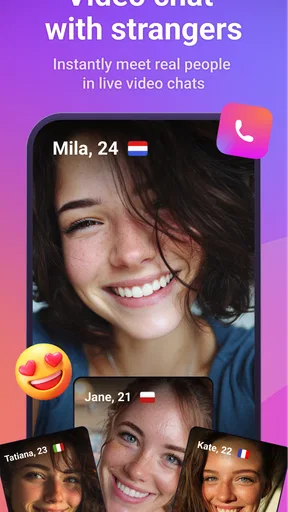
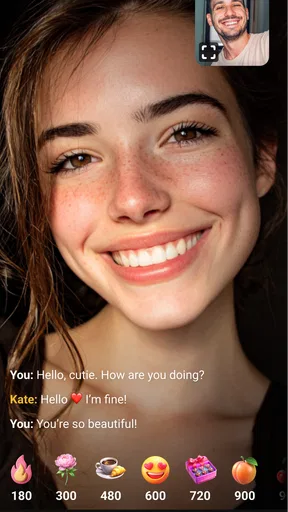

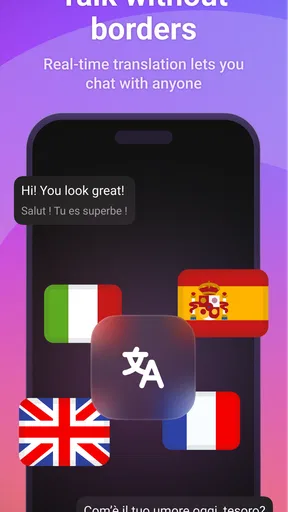
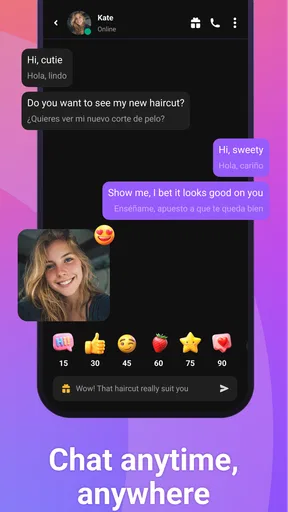
Our Review of Flirtify: Live Video Chat
 Analysis by Appyee
Flirtify: Live Video Chat is a communication app from AMUZEIT LTD built around spontaneous video conversations with people you do not already know. I approached it as a quick social tool rather than a replacement for messaging apps, and that distinction matters: its appeal is the immediacy of seeing another person on camera, while its main challenge is that random live interaction can feel unpredictable from one session to the next.
The app is free to install, carries a Mature 17+ age rating, and is available for devices running Android 7.0 or later. It has reached over 100 thousand installs and holds a 3.6 average from around 214 ratings, which suggests a mixed but meaningful level of interest. In my view, those figures place it in the “try it carefully” category rather than the “install without thinking” category. You need to be comfortable with live social contact, privacy decisions, and the possibility that a conversation will be brief or awkward.
How Flirtify feels in everyday use
The central idea is simple: open the app, enter the live video-chat experience, and look for a one-to-one conversation. The focus on real-time contact makes it different from ordinary social networks, where you usually browse profiles, write messages, wait for replies, and gradually decide whether a person is worth talking to. Here, the first impression arrives almost immediately through the camera.
I found that this format works best when I treated each match as a short conversation rather than as the beginning of a guaranteed relationship. That mindset reduces pressure. You can say hello, see whether the exchange feels natural, and move on if it does not. The experience is closer to dropping into a social room than carefully building a contact list.
The app’s emphasis on conversations with women is likely to attract people looking for flirtatious interaction, but users should still approach every chat as an interaction with a real person, not as an on-demand performance. A camera can make people feel exposed, and a respectful tone matters more here than it does in text-only communication. I would avoid sharing personal contact details, workplace information, or anything that identifies where you live until you have built genuine trust outside the initial encounter.
One practical use case is a short evening break. Imagine finishing work, putting on headphones, and wanting a few minutes of casual conversation without composing a profile or joining a large group. Flirtify can fit that moment because the video format gets to the point quickly. It is less suitable if you need a predictable discussion, a quiet exchange, or a way to maintain long-term contact with people you already know.
The strongest part is the low commitment
What I like most is the possibility of testing a conversation without investing a long time in setup. Traditional dating platforms often ask you to select photos, write a biography, swipe through profiles, and manage text exchanges before a video call happens. Flirtify puts the live interaction much closer to the beginning. That can feel refreshing for users who find extended messaging tiring or misleading.
There is also a useful social benefit in the lack of elaborate preparation. A person who is curious about live conversation can discover quickly whether they actually enjoy it. If you keep expecting every call to become meaningful, the format may disappoint you. If you see it as a way to meet someone briefly and decide whether to continue, it becomes easier to use.
My first non-obvious tip is to decide your boundaries before opening a call. Choose what you are willing to discuss, whether you will show your surroundings, and how quickly you will end an uncomfortable interaction. Making those decisions in advance is more effective than trying to invent rules while another person is watching and waiting.
Video changes the privacy equation
Live video reveals more than a written profile. Even if you say very little, your face, room, background sounds, and daily routine can disclose information. I recommend using a neutral background, checking what appears behind you, and avoiding visible documents, delivery labels, school items, or work screens. This is not a criticism unique to Flirtify; it is a basic consequence of using a camera with strangers.
The Mature 17+ classification is an important signal about the intended audience and the nature of the conversations users may encounter. It is not a reason to assume that every interaction will be appropriate or that the app will suit younger users. Adults should still use their own judgment, especially when a stranger pressures them to reveal more than they want to share.
A second practical insight is to keep the first few conversations deliberately generic. Talk about hobbies, films, food, travel ideas, or everyday routines without giving away your location or schedule. This lets you judge someone’s behavior before you provide information that is difficult to take back. If a person reacts badly to a simple boundary, that reaction is useful information: end the chat rather than trying to repair it.
What the current release tells me
The current version is 1.0.10, and the app was released on December 22, 2025. Those details make Flirtify feel like a relatively early product rather than a mature communication platform with a long-established workflow. I would interpret the version number as a sign that the experience may still be developing, not as proof that a particular feature is coming or that every rough edge will disappear.
For existing users, a newer release number can matter in small but important ways. Keeping the app updated is sensible because live video depends on the app working reliably with the device’s operating system and camera. It also gives users the best chance of receiving current interface improvements or fixes when they are made. At the same time, I would not expect a version update alone to solve the broader social problems of random video chat. Better software can improve the call experience, but it cannot guarantee considerate matches.
The release timing also affects how I judge the product. I am more forgiving of an interface that feels less polished in an early-stage app, but I am less willing to overlook unclear spending decisions or uncomfortable interactions. Newness can explain an uneven experience; it should not be used as an excuse for users to ignore their own safety or budget.
Free entry, but spending needs attention
Flirtify is free, yet its in-app purchases range from $10.99 to $699.99 per item. That is the biggest financial point I would want a friend to understand before trying it. A free download does not mean the complete experience is cost-free, and the upper end of the purchase range is substantial enough to require deliberate caution.
I would begin without buying anything. Use the basic experience long enough to decide whether the conversations are genuinely enjoyable, whether the app fits your routine, and whether you understand what a purchase provides. Do not spend simply because a conversation feels exciting in the moment. Live interaction can create emotional pressure, and that is exactly when it becomes easiest to make a decision you would not make after stepping away.
My third concrete tip is to set a personal spending limit outside the app before you explore any paid options. Treat that limit as final, not as a starting point. If the service presents a purchase that seems urgent, pause and close the app for a while. A communication tool should not make you feel that you must pay immediately to preserve someone’s attention.
The cost structure also affects who should use Flirtify. Someone looking for occasional, no-cost experimentation may be comfortable with the free entry point. Someone who wants a completely free service with no temptation to spend should choose a platform whose business model is clearer to them. Likewise, anyone who is vulnerable to impulse purchases should be especially conservative here.
How it compares with familiar alternatives
Compared with ordinary messaging apps, Flirtify offers more immediacy but less control. Messaging gives you time to think, edit your words, and decide when to reply. It is better for maintaining conversations with friends, family, or people you already trust. Flirtify is better suited to the novelty of meeting someone live, but that novelty comes with more uncertainty.
Compared with dating apps built around profiles and matching, Flirtify reduces the amount of preparation before a video conversation. That can be a strength for people who dislike swiping and lengthy introductions. The trade-off is that you may have less context before the call. If you prefer to review interests, photos, and written information before speaking, a profile-first service may feel more comfortable.
Compared with large group video communities, the one-to-one emphasis can feel more personal and less noisy. You are not competing with a room full of speakers, but that also means the interaction rests heavily on the person you encounter. There is no group energy to soften an awkward moment. For private, focused conversation, that is useful; for social users who prefer a shared community atmosphere, it may feel narrow.
I would choose Flirtify when the main goal is spontaneous live contact. I would choose a conventional messenger for reliable communication, a profile-based dating service for more context before a call, and a moderated group community for broader social participation. Those are not interchangeable experiences, and expecting one app to provide all three usually leads to disappointment.
Where the experience still has gaps
The random nature of live video is both the attraction and the limitation. You cannot assume that every person will be interesting, available, or respectful. A session may end quickly, and repeated short conversations can become tiring. Users who need consistent quality or a clear path toward a lasting connection may find the format too loose.
Another limitation is the emotional intensity of face-to-face contact with strangers. A text message gives you distance; a video call removes much of it. That can create a stronger sense of connection, but it can also make rejection, pressure, or inappropriate behavior feel more immediate. I would not recommend the app to anyone who already finds unsolicited social contact stressful unless they have a clear exit strategy.
The app’s early version status is another reason to keep expectations realistic. A product at version 1.0.10 may still be refining its flow, and a relatively modest average rating indicates that not every user has had the same experience. I would test it on my own device before deciding whether it deserves a regular place in my routine. A smooth call for one person does not guarantee the same comfort or reliability for another.
There is also a difference between technical access and social suitability. Android 7.0 support makes the app available to many older devices, but an older phone may still provide a less comfortable video experience than a newer one. Camera quality, lighting, battery condition, and network stability all shape how a call feels. I would test the app in a well-lit, private place rather than judging it from a rushed call in a noisy environment.
Questions I would answer before installing
If you are wondering whether you need to pay to try it, my answer is no: the app is free to install, so I would start with the no-cost experience and learn the basic flow first. Because paid items can be expensive, I would not connect the idea of meeting someone interesting with the idea of buying something. Enjoy the conversation independently of any purchase decision.
If you are asking whether it is suitable for private, serious communication, I would say only in a limited sense. It can begin a conversation, but I would not treat an initial video encounter as proof that someone is trustworthy. Move slowly, protect identifying information, and use another communication method only after you are comfortable with the person.
If you dislike being on camera, this is probably not the right choice. The app’s value depends on live video, so hiding behind text would remove much of what makes it different. A messaging service or an audio-first community would be a better fit for someone who wants social contact without showing their face.
If you are concerned about age suitability, the Mature 17+ label should guide your decision. Adults should still set their own boundaries, and younger users should not treat the label as permission to enter conversations that make them uncomfortable. If you are supervising a teenager, I would discuss live-camera privacy directly rather than relying only on the store classification.
If you are deciding whether to keep using it after a first session, I would judge three things: whether the conversations feel respectful, whether the app fits your budget without pressure, and whether the live format genuinely adds something to your social life. If any of those answers is negative, uninstalling it is a reasonable choice.
What I would watch as the app develops
Because the product is still on an early version, I would watch how AMUZEIT LTD handles the practical details that determine long-term trust. The important signs will be whether the experience becomes easier to navigate, whether live conversations feel more consistent, and whether paid choices remain understandable rather than distracting. I would also pay attention to how the app feels for returning users, not just how impressive the first call seems.
Existing users should watch their own usage patterns as well. If you find yourself opening the app only because you feel pressured to respond, spending more than planned, or tolerating conversations that make you uncomfortable, those are signs to step back. Product evolution matters, but personal boundaries matter more.
My overall view is cautiously positive. Flirtify offers a direct way to try one-to-one video conversation, and I can see why someone bored with endless texting would enjoy that immediacy. The free entry point makes experimentation easy, but the Mature 17+ setting, random social environment, and wide in-app purchase range mean it deserves a thoughtful approach.
My recommendation is to try Flirtify as a controlled social experiment, not as a guaranteed dating solution. Start slowly, protect your privacy, avoid impulsive purchases, and leave any conversation that crosses your boundaries. If you want spontaneous live contact and accept its unpredictability, it may be worth exploring. If you want dependable messaging, detailed profiles, or a fully predictable cost, one of the usual alternatives will serve you better.
For me, the app’s future appeal will depend less on adding excitement and more on making that excitement easier to manage. The best version of this idea would preserve the quick human connection while giving users confidence about their choices, their time, and their money. Until then, I would keep expectations measured and use it only when the live format is genuinely what I want.
Verdict
Strengths of Flirtify: Live Video Chat
- Quick matching makes it easy to start live video conversations.
- Video interaction feels more personal than text-only dating apps.
- User profiles help you decide whom to connect with.
- In-app reporting tools make it easier to flag inappropriate behavior.
- The interface is simple enough for first-time users.
Limitations of Flirtify: Live Video Chat
- Some features may require coins, subscriptions, or additional payments.
- Live chats can vary greatly in quality depending on who is online.
- Privacy may be a concern when speaking with unknown users on camera.
- You may encounter unwanted messages or inappropriate video behavior.
- A stable internet connection is essential for smooth video calls.
Similar Picks in This Category
View All
Google Messages
Google LLC4.6

Gmail
Google LLC4.1

Google Meet
Google LLC4.4

Google Chrome
Google LLC4.1

WhatsApp Messenger
WhatsApp LLC4.6

Carrier Services
Google LLC4.2
Frequently Asked Questions
What is Flirtify: Live Video Chat and how does it work?
Flirtify: Live Video Chat is a social communication app designed for meeting and chatting with people through live video interactions. After creating an account, you can browse available users, start conversations, and use video features when supported by the other person. The experience depends on your location, profile activity, internet connection, and the app’s current matching or discovery options.
Is Flirtify: Live Video Chat free to download and use?
The app may be available to download at no initial cost, but some features can require in-app purchases, credits, subscriptions, or other paid options. Video calls, premium discovery tools, gifts, messaging privileges, or profile boosts may not all be included in the free experience. Before spending money, review the pricing, renewal terms, and purchase details shown in the app store and inside the application.
Is Flirtify: Live Video Chat safe for meeting new people?
As with any platform that connects you with strangers, you should use Flirtify carefully and protect your personal information. Avoid sharing your address, financial details, passwords, private documents, or sensitive images. Keep conversations inside the app until you trust someone, use blocking and reporting tools when necessary, and stop communicating with anyone who pressures, threatens, or requests suspicious payments.
Does Flirtify require registration, a camera, or microphone access?
You will generally need to create or access an account to use the app’s social and video-chat functions. Camera and microphone permissions are normally required for live video and voice conversations, but you can deny them if you only want to explore features that do not need those permissions. Check the permission prompts carefully and change access later through your device settings.
What should I check before downloading Flirtify: Live Video Chat?
Before installing Flirtify, check whether it is available in your country, confirm the minimum Android or iOS requirements, and read the current privacy policy and store listing. Pay attention to age restrictions, data collection, subscription conditions, and user reviews. A reliable Wi-Fi or mobile connection is also recommended, since live video can consume significant data and battery power.
